_private/qwestly-private-docs/SOC2/data-management/user-deletion/test.md
Table of Contents
User Deletion Test
Qwestly has not received a formal customer data deletion request. The following are screenshots of a deletion test.
Test Workflow Steps
Step 1: User Data Deletion Request
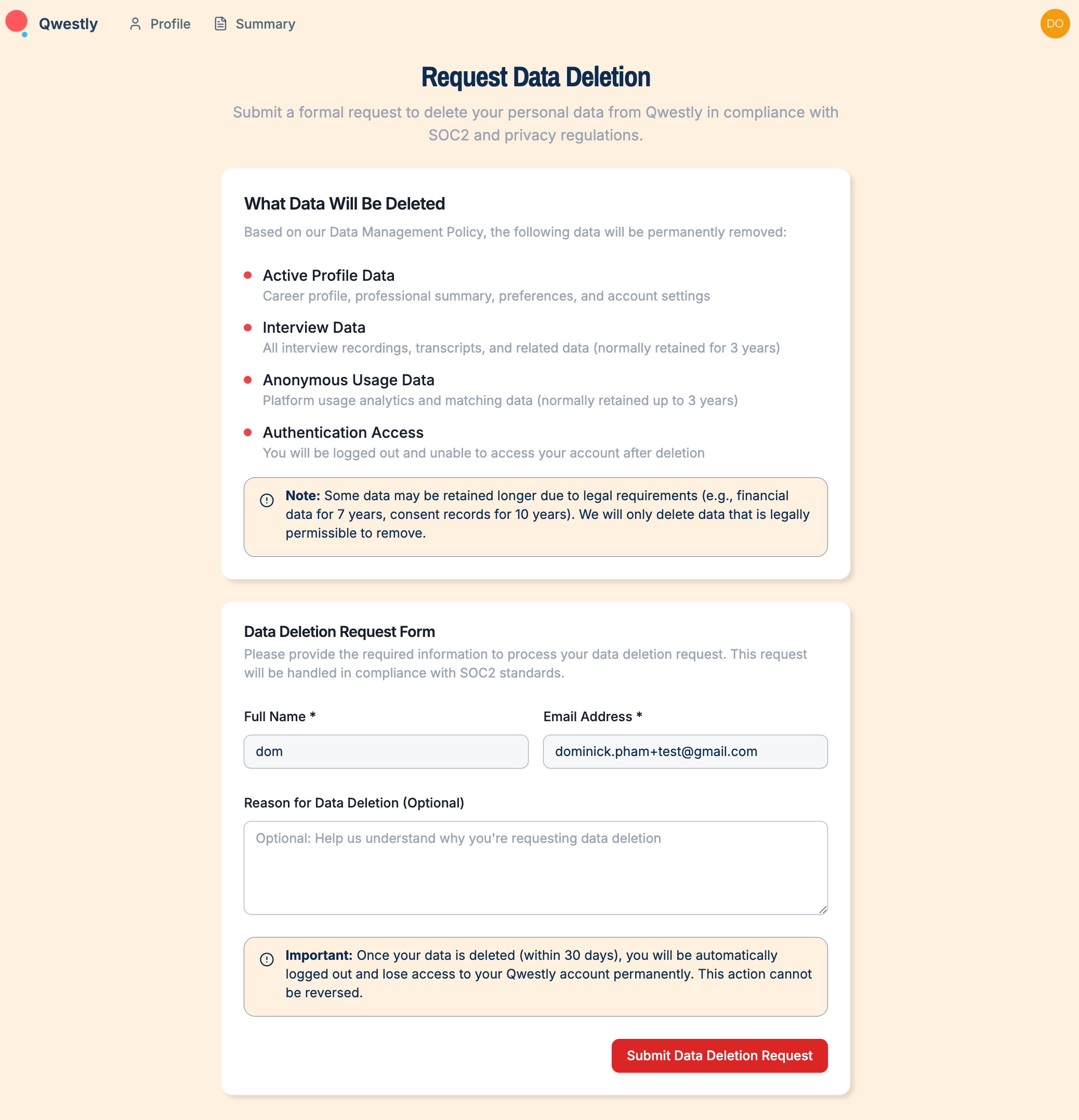
The user initiates a data deletion request through the Qwestly platform:
- User fills out the "Request Data Deletion" form
- Form includes fields for Full Name, Email Address, and optional reason
- User is informed about what data will be deleted and the permanent nature of the action
- Form submission creates a formal request in compliance with SOC2 and privacy regulations
Step 2: Record Creation in Asana
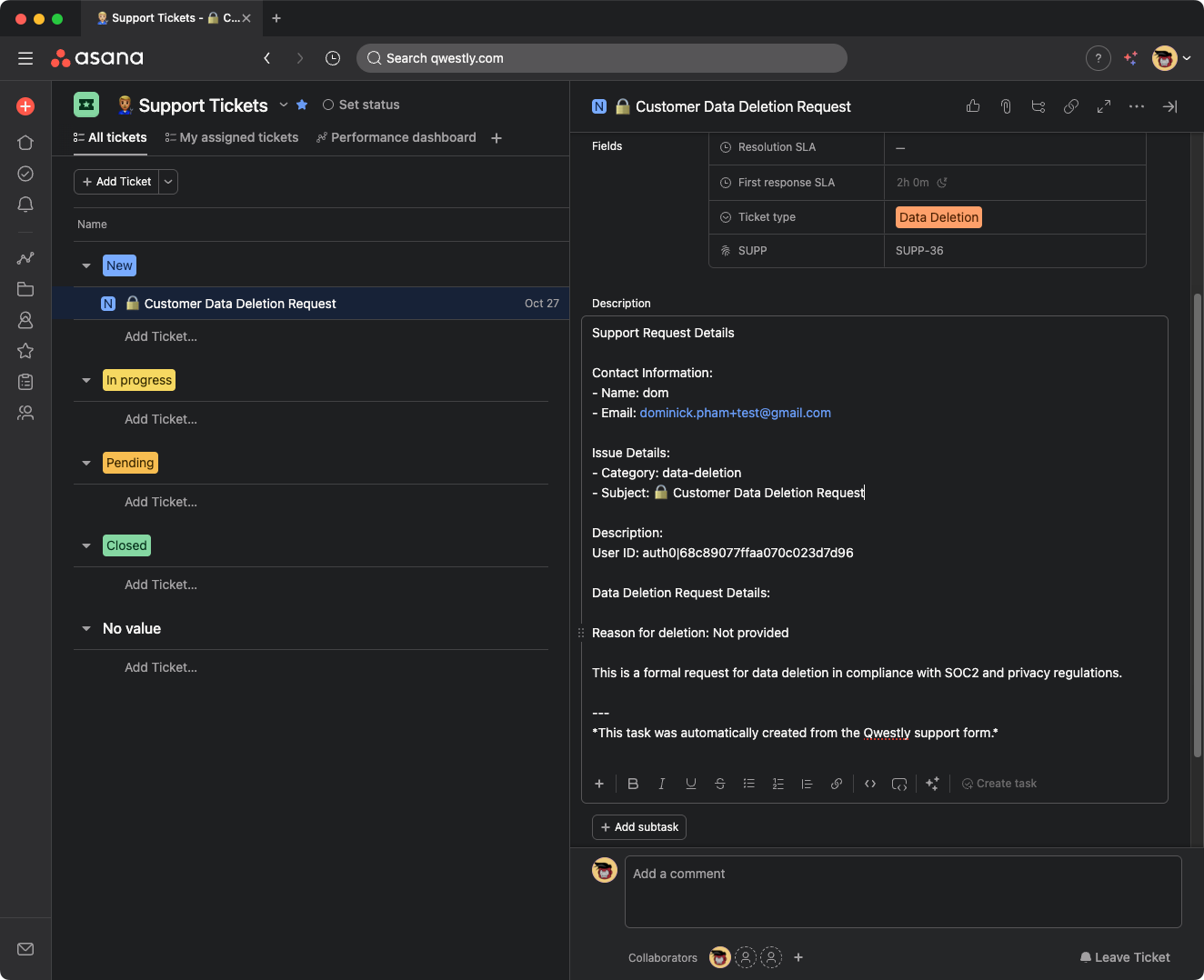
The user request is automatically converted into a support ticket in Asana:
- Ticket type: "Data Deletion"
- Ticket ID: SUPP-36
- Contains user contact information and User ID (auth0|68c89077ffaa070c023d7d96)
- Includes formal request details for SOC2 compliance
- Assigned appropriate SLA timelines (First response: 2h 0m)
Step 3: Admin User Lookup
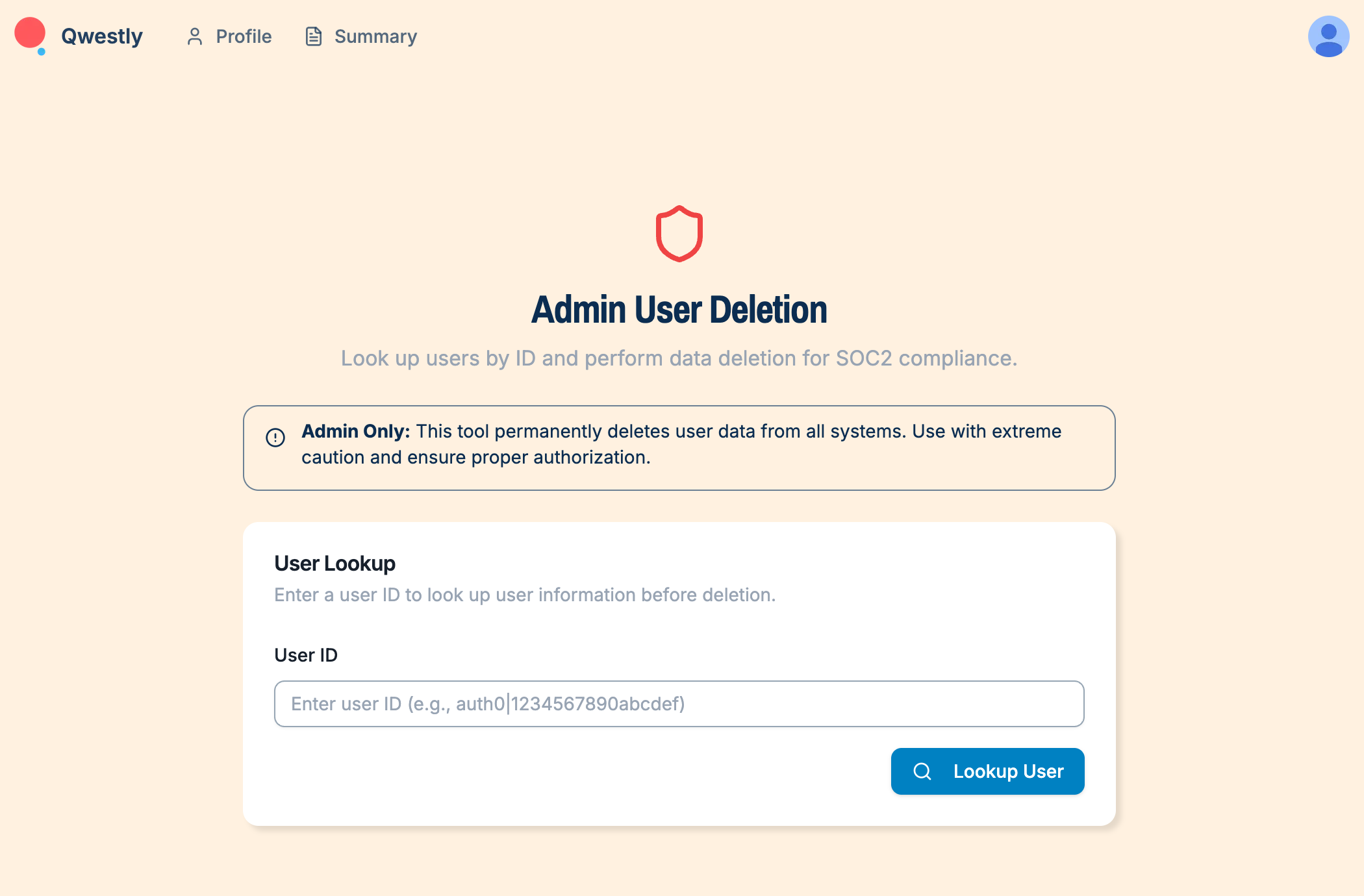
Admin accesses the user deletion tool to look up the requesting user:
- Admin navigates to "Admin User Deletion" page
- Enters the User ID from the Asana ticket
- System displays user information for verification before deletion
Step 4: Admin User Deletion Confirmation
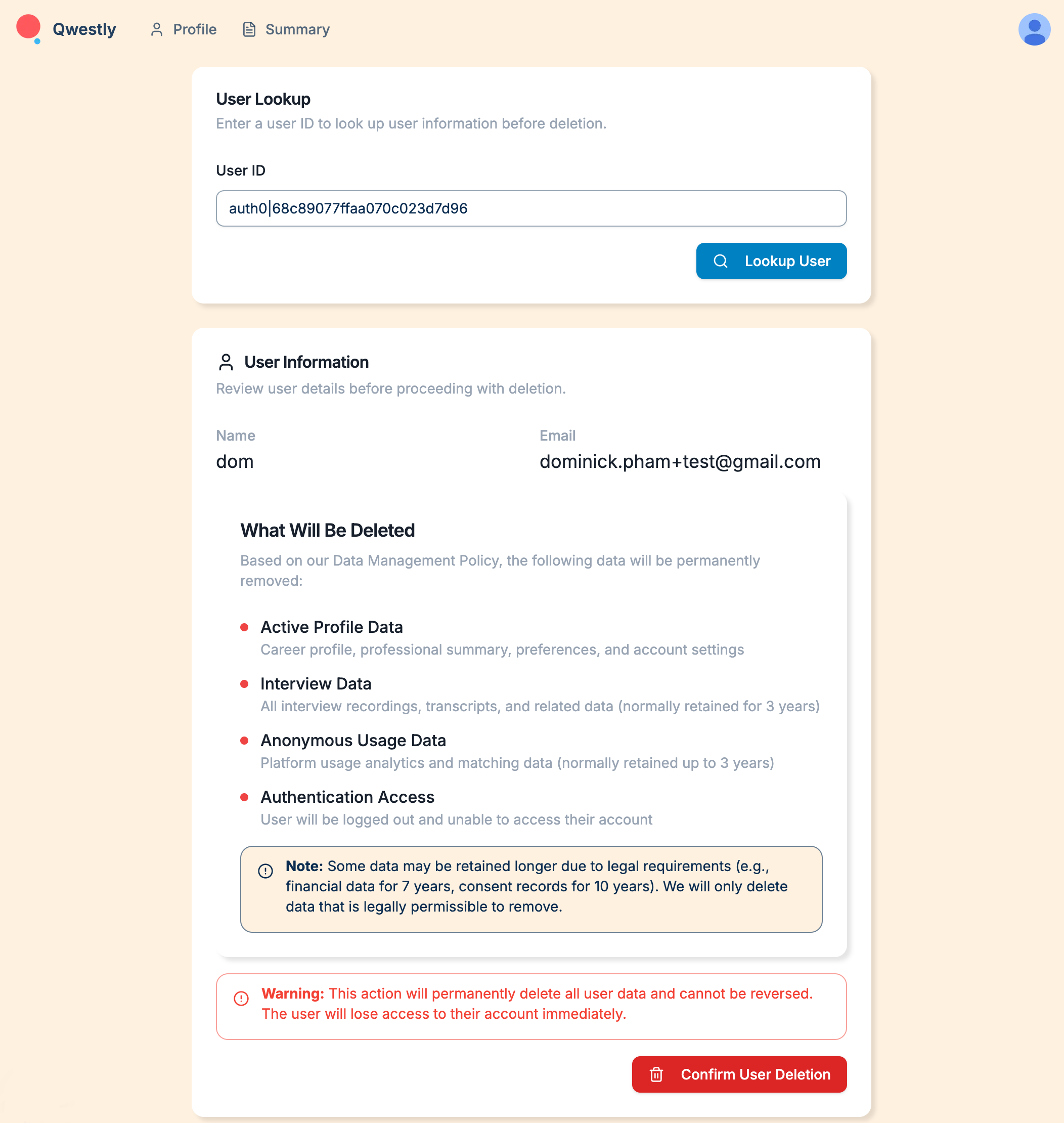
Admin reviews user details and confirms deletion:
- System displays user information (Name: dom, Email: dominick.pham+test@gmail.com)
- Admin reviews what data will be deleted according to Data Management Policy
- Warning displayed about permanent nature of deletion
- Admin confirms user deletion
Step 5: Deletion Confirmation
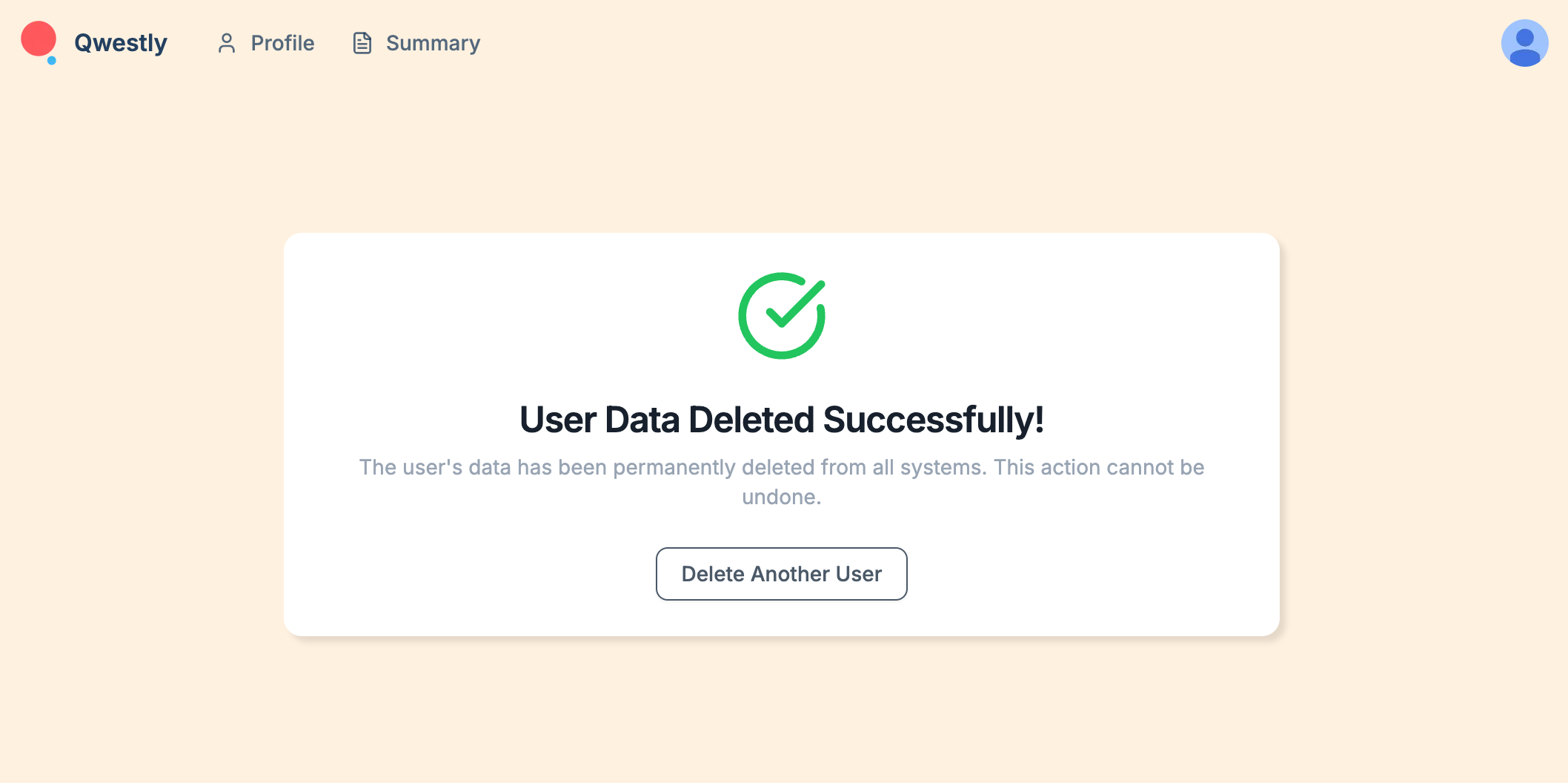
System confirms successful data deletion:
- Success message: "User Data Deleted Successfully!"
- Confirmation that data has been permanently deleted from all systems
- Option to delete another user if needed
Test Summary
This test demonstrates the complete user data deletion workflow:
- User Request: Customer submits formal deletion request through platform
- Ticket Creation: Request automatically creates Asana support ticket
- Admin Review: Admin looks up user and reviews deletion details
- Deletion Execution: Admin confirms and executes data deletion
- Confirmation: System confirms successful deletion
The workflow ensures SOC2 compliance and proper documentation of all data deletion activities.